
Why Reels Are Your Next Facebook Obsession
If you've spent any time scrolling through social media lately, you've probably noticed that short-form video has completely taken over. What TikTok ignited and Instagram Reels fanned into a full flame, Facebook has now brought to its own massive, multi-billion-user platform. I remember the first time I stumbled across a Facebook Reel that stopped me mid-scroll — it was a 30-second cooking hack that I immediately shared with three people. That's the magic of this format: it's fast, punchy, and nearly impossible to ignore.
Facebook Reels aren't just a copycat feature tacked onto an aging platform. They represent a genuine strategic shift in how Meta wants creators and brands to reach audiences. The algorithm actively favors Reels by pushing them beyond your existing followers, giving your content a discoverability boost that traditional posts simply can't match. Whether you're a small business owner trying to connect with a younger demographic, a content creator looking to grow your community, or someone who just wants to share something fun, Reels offer a level playing field that's honestly exciting to be a part of.
In this guide, I'm going to walk you through everything — from understanding what a Facebook Reel actually is, to crafting content ideas that resonate, mastering the editing tools, optimizing for reach, and tracking what's working. By the time you finish reading, you'll have a complete DIY roadmap to create Reels that don't just exist on the internet, but actually get seen.

Getting Started: The Anatomy of a Facebook Reel
At its core, a Facebook Reel is a short-form, vertical video — typically between 3 and 90 seconds long — designed to be consumed quickly and shared widely. The format prioritizes full-screen, portrait-mode content, which means it's built for mobile viewing from the ground up. Music, voiceovers, and trending audio are woven into the experience, making sound just as important as the visuals themselves.
Finding the Reels feature is straightforward once you know where to look. Open the Facebook app and tap the "Reels" tab, which you'll often find in your main feed or through the "Create" button on your profile. From there, you'll see an option to record directly within the app or upload an existing video from your camera roll. I'd recommend exploring both options early on — recording natively gives you access to real-time effects, while uploading lets you work with pre-edited footage.
Once you're inside the creation interface, take a moment to get familiar with the toolbar. Along the side of the screen, you'll find controls for audio selection, playback speed, effects, a self-timer for hands-free recording, and an alignment tool that helps you create seamless transitions between clips. It looks like a lot at first, but after your first or second Reel, navigating these buttons becomes second nature. Think of it like learning where the spices are in a new kitchen — a little awkward at the start, totally intuitive once you've cooked a few meals.
Crafting Compelling Content: Ideas That Resonate
Before you hit record, the most important investment you can make is in your content idea. I always start by thinking about my niche — what do I know, what does my audience care about, and what can I offer that feels genuine rather than forced? A fitness coach and a vintage bookstore owner will create very different Reels, but both can go viral if the content speaks directly to the people they're trying to reach.
Some of the best-performing content categories for Facebook Reels include educational or informative videos, like quick tips, life hacks, or short DIY tutorials. These work brilliantly because they deliver immediate value — viewers feel smarter after watching, which makes them want to save and share. Behind-the-scenes content is another goldmine; people are genuinely curious about the process behind a finished product, whether it's a bakery preparing its morning pastries or a graphic designer working through a logo concept.
Entertaining and humorous content — skits, reaction videos, relatable workplace moments — tends to rack up shares faster than almost anything else. If you can make someone laugh or nod along thinking "that's so me," you've won. Tutorials and product demos work especially well for brands and service providers, while motivational or inspirational clips tend to build deep, loyal communities around a creator's voice and perspective.
The hook is the most critical element of any Reel, and I cannot stress this enough. You have roughly two to three seconds to convince a viewer not to swipe away. Open with a bold statement, a surprising visual, a question that creates instant curiosity, or an action that demands attention. Something like "I can't believe no one talks about this trick" or jumping straight into the most visually compelling moment of your video works far better than a slow, gentle introduction.

Master the Tools: Essential Reels Features and Editing Tips
Audio is where a lot of creators either level up or fall flat. Trending sounds are a powerful discovery tool on Facebook — when you use a piece of audio that's already circulating widely, the algorithm is more likely to serve your Reel to users who've engaged with that sound before. You can browse trending audio directly within the Reels creation interface by tapping the music icon. Beyond trending tracks, don't underestimate the power of original audio: a clear, confident voiceover often outperforms a popular song because it makes your content feel personal and authoritative.
When it comes to video control, the speed adjustment feature is one of my favorites to play with. Slowing down a satisfying moment — like the final reveal of a DIY project or a cake being sliced — adds a cinematic quality that feels intentional and polished. The timer and countdown function is a lifesaver for solo creators, letting you set up your shot, step back, and start recording without needing a second pair of hands. The align feature, which overlays a ghost image of your last frame when you start a new clip, makes jump cuts and outfit changes look seamless.
For visual enhancements, effects and filters should be used with purpose rather than just because they're there. Choose aesthetics that match your brand or the mood of your content. Text overlays are essential — many people watch Reels on silent, especially in public spaces, so adding captions or on-screen headlines ensures your message lands even without sound. Stickers and GIFs can add personality and encourage interaction, but use them sparingly so they enhance rather than clutter your video.
In-App vs. External Editing
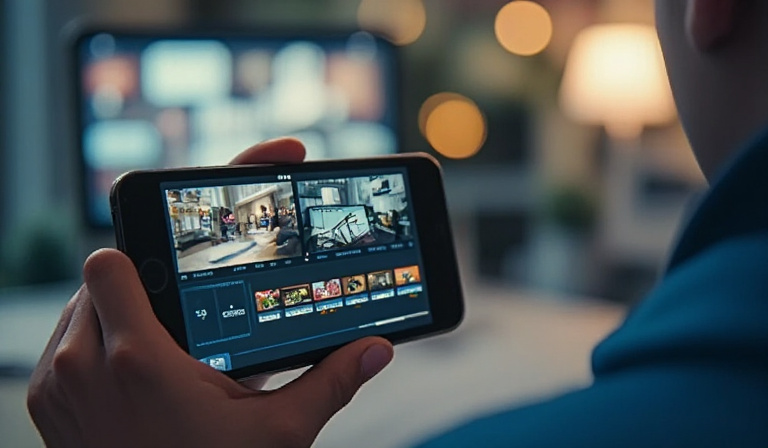
Facebook's native tools are surprisingly capable for most creators, but if you want more control over your edit — precise cuts, color grading, animated text, or multi-clip storytelling — third-party apps like CapCut or InShot are worth exploring. I personally use CapCut for anything that requires more than basic trimming, then export and upload to Facebook. The extra effort pays off in a noticeably more polished final product.
Optimizing for Reach: Getting Your Reels Seen
Creating a great Reel is only half the battle — you also need to give it the best possible chance of being discovered. Your caption is prime real estate. Rather than writing something generic like "Check out my new video!", ask a question that invites responses ("Which hack are you trying first?"), share a quick insight, or tease additional content. Captions that spark conversation tell the algorithm that your post is generating meaningful engagement, which in turn boosts its reach.
Hashtags remain a relevant discovery tool on Facebook, though the approach has evolved. I aim for a focused mix: a couple of broad, high-traffic hashtags in your niche, a few mid-size ones specific to your topic, and one or two very niche tags that speak directly to a tight community. Avoid dumping 30 random hashtags into a caption — it looks spammy and doesn't meaningfully improve performance.
Timing matters more than many people realize. Posting when your audience is most active — typically evenings on weekdays and mid-morning on weekends for most general audiences — gives your Reel an initial engagement burst that signals value to the algorithm. Cross-promotion is another underutilized strategy: sharing your Facebook Reel to your Instagram Stories or Facebook Stories extends its lifespan and pulls in viewers from different corners of your network. Finally, make it a habit to respond to comments, especially in the first hour after posting. That early interaction window is crucial for algorithmic momentum.
Measuring Success and What's Next
Once your Reels are live, the work shifts from creation to analysis. Facebook's built-in Insights dashboard gives you access to key metrics including views, reach, likes, shares, comments, and average watch time. Of all these numbers, watch time and shares are the ones I pay closest attention to — they tell me whether people found the content valuable enough to stick around and pass along.
Learning from your data means identifying patterns over time. Did your educational Reels consistently outperform your entertainment ones? Did a particular posting time lead to significantly higher reach? Use those insights to double down on what's working rather than chasing trends that don't align with your strengths. Consistency is the unglamorous secret behind most successful creators — a regular posting schedule, even once or twice a week, builds algorithmic trust and keeps your audience coming back.
Staying current with Facebook's evolving features is also part of the job. Meta frequently rolls out new Reels tools, templates, and collaboration options, and early adopters often get a visibility boost simply for using new features. Follow creator-focused Facebook groups, newsletters, or social media news sources to stay in the loop without feeling overwhelmed.
Your Reel Journey Starts Now
Creating viral Facebook Reels isn't about having the fanciest camera or a production team — it's about understanding your audience, leading with a strong hook, using the platform's tools strategically, and showing up consistently. From finding the feature in the app to analyzing what your numbers are telling you, every step in this guide is designed to make the process feel manageable and even enjoyable.
The truth is, the best time to start was yesterday, and the second-best time is right now. Your first Reel doesn't need to be perfect; it just needs to exist. Every piece of content you publish teaches you something about your audience and your own creative voice. So pick your first idea — whether it's a quick tutorial, a behind-the-scenes peek, or something that genuinely makes you laugh — and hit record. Now it's your turn! Create your first Facebook Reel today and tag your page so your community can see your work. What's the first idea you're excited to try? Drop it in the comments below — I'd love to hear what you're cooking up.